A screen that runs eight hours a day in a home or conference room is a fundamentally different machine from one that runs continuously in a lobby, transit station, or retail environment. The thermal and electrical engineering assumptions baked into a consumer display are calibrated for intermittent use with rest cycles. Put that panel into a continuous-duty deployment and you are operating outside its design envelope from day one.
Understanding the power and heat picture is not optional for anyone responsible for a screen installation that needs to stay up. It affects hardware selection, enclosure design, cabling, circuit planning, and the maintenance schedule. Getting it wrong shows up slowly at first — shortened component life, occasional shutdowns during peak load, image quality shifts — and then all at once when a panel fails ahead of schedule.
Commercial-grade displays specify power consumption in watts at peak brightness. That number matters, but it is only the starting point. Real-world power draw varies with content: a screen running a bright white background at full brightness pulls more current than one running dark content or a screensaver. In environments where content changes frequently or is designed by parties unfamiliar with power implications, sustained peak draw should be the planning assumption, not average draw.
Heat is the direct consequence of power consumption. Every watt drawn by a display panel is converted partly to light and mostly to heat. Backlights, power supply boards, processing hardware, and the touch overlay (if present) all contribute to the thermal load. A commercial panel running at full brightness in a sealed or semi-sealed enclosure without active cooling will exceed its rated operating temperature range faster than most installers expect, particularly in environments where ambient temperature is already elevated — south-facing windows, near HVAC exhaust, in direct sun.
Thermal throttling is the panel's self-protection mechanism. When internal temperatures exceed a threshold, the display reduces brightness or processing load to shed heat. In a well-designed system this is a safety valve. In a poorly planned installation it becomes a recurring operational problem: the screen dims during the hours it is supposed to be most visible, exactly when foot traffic and ambient light are highest. Diagnosing this in the field is straightforward — the behavior is temperature-correlated and typically reproducible — but it is better avoided than diagnosed.
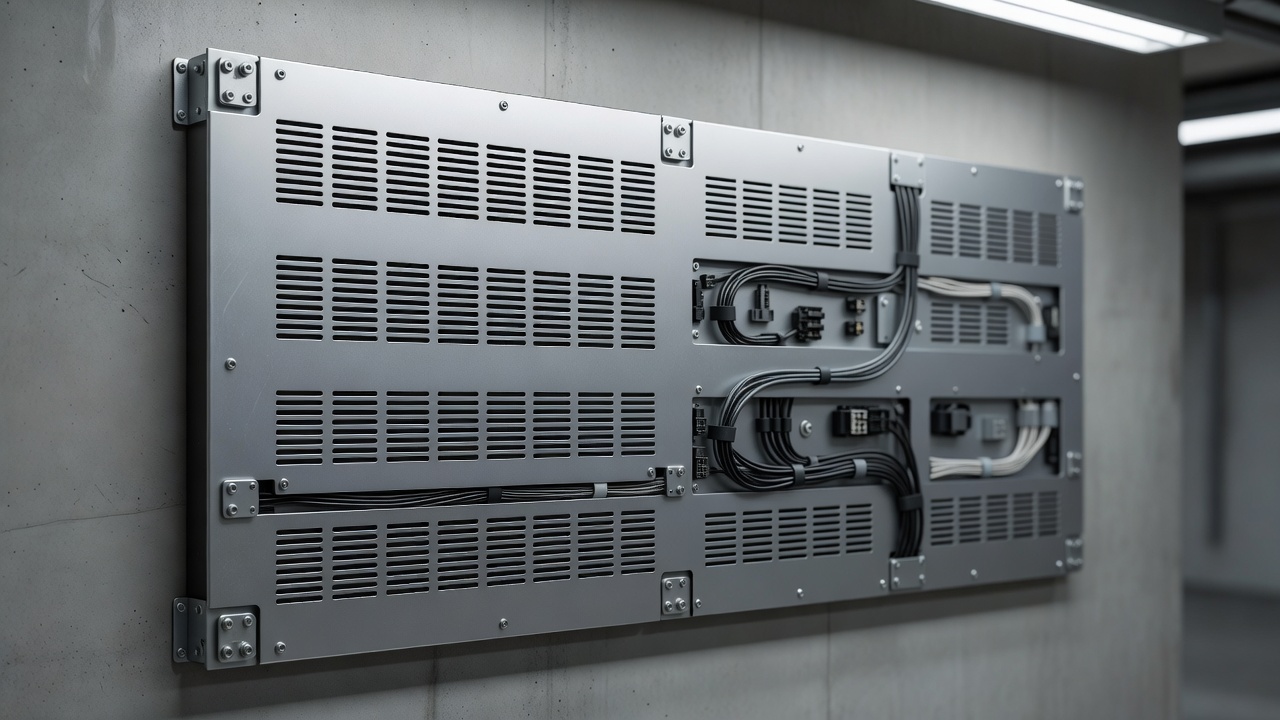
Ventilation planning is where most thermal problems originate. A flat wall mount pushed flush against drywall eliminates the convective airflow path the panel relies on for passive cooling. Even a few centimeters of standoff distance makes a measurable difference. Enclosures, whether custom-fabricated or commercial housings, need airflow paths sized to the panel's thermal output. Vents at the bottom and top of the enclosure allow natural convection. Active fans extend the options but introduce their own maintenance requirements and failure modes — a failed fan in a sealed enclosure is worse than no fan at all because it creates a false sense of security.
Power delivery to the screen is a separate concern from the screen's internal thermal management. Long cable runs from a distant circuit panel introduce voltage drop that can cause instability, especially during startup when inrush current is highest. Screens in multi-display arrays sharing a single circuit need load calculations that account for simultaneous startup, not just steady-state draw. A circuit breaker that handles the running load may trip on startup if inrush current from several panels coincides. Staggered startup sequences, either manual or timer-controlled, can eliminate this class of problem without any hardware change.
Power conditioning deserves attention in environments where the electrical supply is inconsistent. Voltage fluctuations, transient spikes from heavy machinery sharing the circuit, and frequent switching events all shorten the lifespan of power supply boards inside displays. A quality surge-protected power distribution unit is minimum protection. In environments with known power quality issues — manufacturing floors, buildings with aging electrical infrastructure — a line conditioner or uninterruptible power supply sized to the display's load provides an additional buffer and can prevent the kind of slow-burn degradation that is invisible until a board fails.
Scheduled downtime, even brief, can meaningfully extend panel life in continuous-duty installations. Displays designed for commercial use typically specify a duty cycle — often 16/7 or 24/7 — but operating at the upper end of that specification accelerates wear on backlights and capacitors. A nightly shutdown window of even two to four hours, timed to off-peak hours, reduces cumulative thermal exposure without affecting operational coverage in most deployment contexts. This is a scheduling decision, not a hardware one, and it costs nothing to implement.
Temperature monitoring is worth building into any installation where panel failure carries significant cost. Some commercial panels expose temperature data through management interfaces. Where that is not available, inexpensive ambient temperature logging at the enclosure can serve as an early-warning system — a rising trend in enclosure temperature during operating hours, even if the panel has not yet throttled, is actionable information before a problem becomes a failure.
The reliable screen installation is the one where heat and power were planned for before the first panel went on the wall.
The principles behind keeping electronics within operating temperature range — heat spreaders, airflow path design, thermal interface materials — are grounded in thermal management for electronics, which Wikipedia covers at a level useful for evaluating enclosure specs.