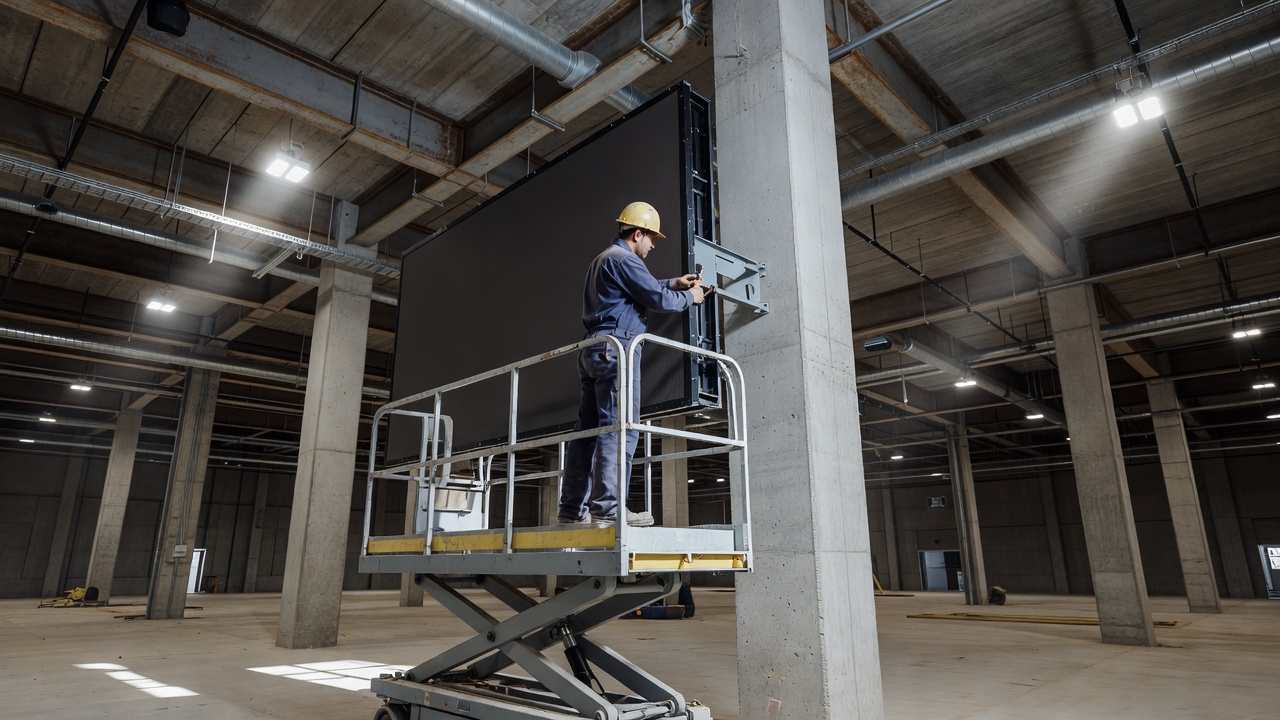
Most digital display projects spend the majority of their planning budget on the screen itself and relatively little on how it attaches to the world. This is backwards. The mounting and enclosure decisions are where installations succeed or fail at the physical layer — and physical failures are the hardest kind to fix after the fact.
Before any mounting hardware is specified, the wall needs to be understood. Drywall over metal studs, drywall over wood studs, concrete block, poured concrete, brick, curtain wall systems, and glass partitions all require different approaches. A mount rated for a given load means nothing if it is anchored into material that cannot carry that load.
Commercial screens are heavier than most people expect. A large-format display that looks manageable in a showroom is a different proposition once it is being positioned against a wall at height. The mount itself adds weight. Cable management hardware adds weight. If the installation includes a media player, controller, or other equipment in the same enclosure, that adds weight. Total suspended load calculations should include everything that will be hanging, not just the panel specification.
Hollow walls require either blocking installed before the wall is closed, or toggle anchors rated for the load, or a spreader plate that distributes force across enough surface area to be safe. Stud-finding is not optional. Anchoring into drywall without hitting structure is not an acceptable solution for any screen that will remain in place for longer than a temporary installation.
Concrete and masonry are generally more reliable substrates but introduce their own complications: the correct anchor type for the specific material, the correct drill bit, and awareness of what may be embedded in the concrete — conduit, rebar, post-tension cable — before any hole is made. In commercial construction, as-built drawings exist precisely to answer this question. Getting them is worth the effort.
Fixed mounts are the simplest and most structurally sound option when the viewing angle is known and consistent. They hold the panel flush or at a small standoff from the wall, create minimal lever arm, and have few moving parts to fail. The tradeoff is that cable access and serviceability require pulling the panel off the wall, which is a two-person job on any screen above a modest size.
Tilting mounts allow vertical angle adjustment and are appropriate when the screen will be mounted high and needs to face downward toward viewers. The tilt mechanism introduces mechanical complexity and, more importantly, increases the lever arm between the wall attachment point and the panel's center of mass. A mount that is adequate for a flat installation may be marginal when tilted if the load calculation was done assuming flat.
Full-motion articulating arms offer the most flexibility and the most potential for problems. They are appropriate for control rooms, behind-the-scenes service locations, or installations where regular repositioning is genuinely necessary. For most public-facing permanent installations, the additional mechanical complexity is not worth the serviceability benefit. Articulating arms require periodic inspection and tightening; joints loosen over time under the sustained weight of a panel.
Ceiling mounts introduce inverted load dynamics. All the structural questions apply, compounded by the fact that a failure overhead is more dangerous than a failure at wall height. Drop-ceiling grid is not a valid mounting substrate for a screen of any significant weight. The mount must reach the structural ceiling above the grid.
An enclosure is any housing that surrounds the display and its associated components for protection from the environment or from physical contact. The need for an enclosure is driven by the installation environment: a screen in a climate-controlled office lobby may need none beyond the panel's own chassis, while a screen in a manufacturing floor, a drive-through lane, or an outdoor plaza needs significant protection.
Enclosures for wet or dusty environments carry ingress protection ratings that indicate how well sealed they are against water and particulate. These ratings are meaningful but only if the enclosure is correctly assembled, all cable entry points are properly sealed, and the enclosure is not subsequently modified in the field without restoring the seal. An enclosure with an unsealed conduit knockout is no longer rated to its specification.
Tamper resistance is a separate consideration from environmental protection. Public-facing screens in high-traffic or unsupervised locations need to consider how the enclosure is fastened. Security fasteners — fastener heads that require uncommon drivers — are a first line of deterrence. The objective is not to make tampering impossible but to make it slow enough that it is visible and discouraged.
Heat is the primary cause of premature failure in display electronics. Screens generate heat during operation, and that heat has to go somewhere. In open-air installations, convective cooling is usually sufficient if the panel has adequate clearance around it. In enclosures, it almost never is.
A sealed enclosure around a running display will accumulate heat until something fails. Even an enclosure rated for outdoor use will overheat if it has no active thermal management. The options are passive venting — louvered openings positioned to create convective airflow, typically low intake and high exhaust — or active cooling, which means a fan, a heat exchanger, or in extreme climates, a thermoelectric or refrigerant-based cooling unit.
Passive venting is simpler and has no moving parts to maintain, but it only works in environments where the outside air is cooler than the inside of the enclosure, and where the vents do not admit rain, insects, or dust that will cause their own problems. Filters on vented enclosures require regular cleaning. A clogged filter turns a vented enclosure into a sealed one.
Active cooling adds complexity and a potential failure point, but it is often the correct answer for sealed outdoor enclosures in warm climates. The cooling system should be specified to handle the worst-case ambient temperature the installation will see, not the average. A unit that barely keeps up on a typical day will fail on the hottest day of the year, which is also the day when the failure is most visible.
Thermal monitoring — sensors inside the enclosure that can alert operators before a temperature threshold is reached — is worth including in any installation where the cost of an emergency service call exceeds the cost of the sensor. Most display management platforms support some form of temperature alert. Using it is a matter of configuration, not additional hardware.
The physical installation is the part of a display project that is hardest to redo. Spending the time to get the substrate right, the mount right, and the thermal situation right before the panel goes up is the most reliable way to avoid the alternatives.
Most commercial display hardware ships with mount points conforming to the VESA Flat Display Mounting Interface standard, which defines the hole-pattern dimensions and load ratings that determine bracket compatibility across manufacturers.